> ## Documentation Index
> Fetch the complete documentation index at: https://run-deliverys.mintlify.site/llms.txt
> Use this file to discover all available pages before exploring further.
# Get an API key
> Sign up, open the Business Dashboard, and generate your first API key.
Follow these steps once, then return to the [Introduction](/) for API basics.
## Sign up and log in
1. **Sign up**
* **Staging:** [Sign up ↗](https://b2b-dev.rundeliverys.com/register)
* **Production:** [Sign up ↗](https://b2b-hub.rundeliverys.com/register)
2. **Log in** with your email and password.
* **Staging:** [Log in ↗](https://b2b-dev.rundeliverys.com/login)
* **Production:** [Log in ↗](https://b2b-hub.rundeliverys.com/login)
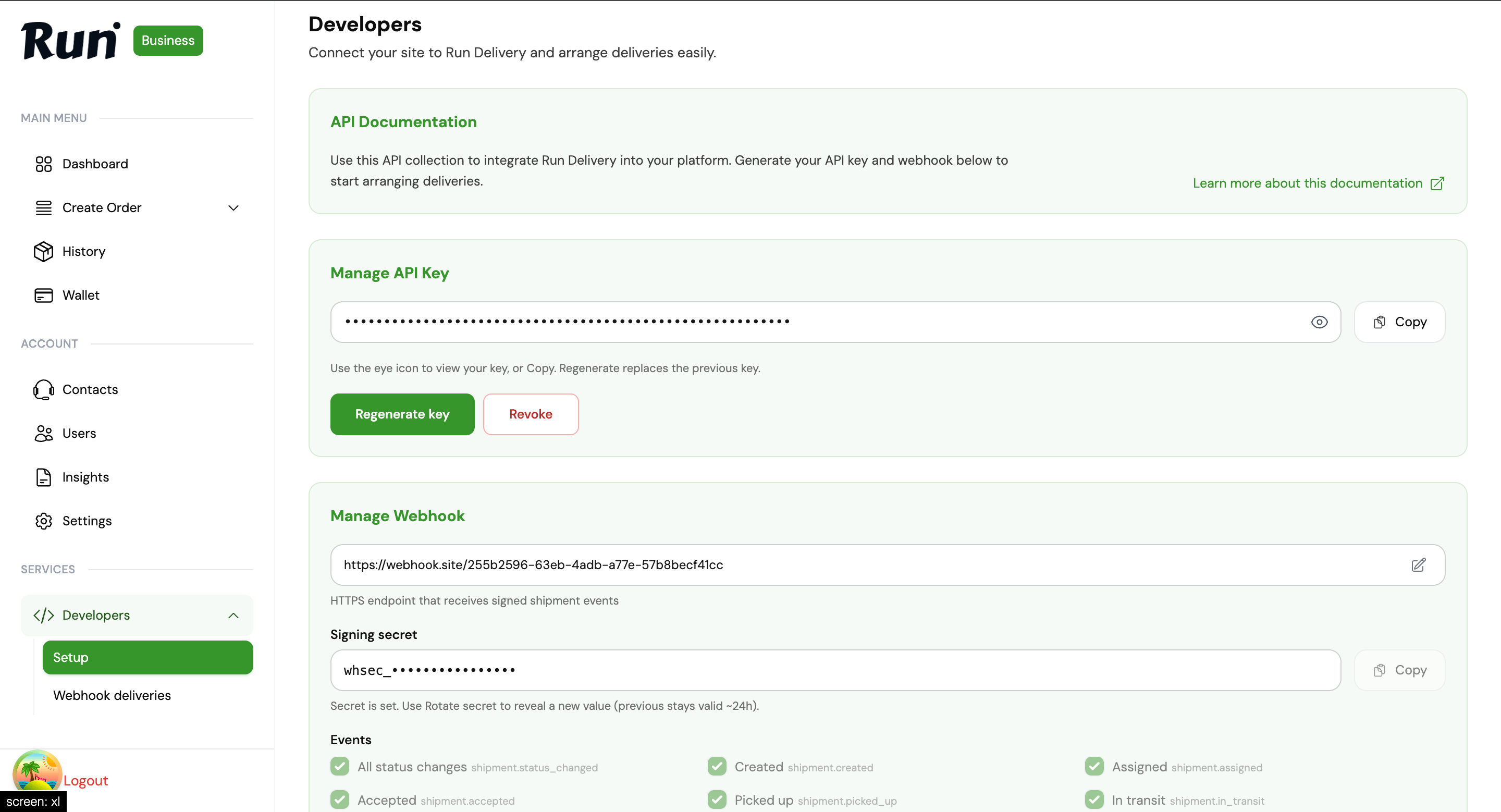
3. **Generate an API key**
In the side menu open **Developers → Setup**, then generate an API key (`run_test_…` on staging, `run_live_…` on production).
 ## What next
Quote a shipment and place your first order.
Bearer headers, scopes, and key rotation.
This documentation is built and hosted on [Mintlify](https://mintlify.com), a developer documentation platform.
## What next
Quote a shipment and place your first order.
Bearer headers, scopes, and key rotation.
This documentation is built and hosted on [Mintlify](https://mintlify.com), a developer documentation platform.