

Authorization header using the Bearer scheme.
Sample Authorization headers
Full example keys (use yours from the dashboard):API keys
Keys always start with
run_test_ (staging) or run_live_ (production), followed by a long random token.
Requests without a valid key fail with 401 Unauthorized.
Do not send a custom api_key header — Run only reads Authorization: Bearer ….
Scopes
Each API key carries scopes that control what it can do.
Keys generated in the dashboard include both scopes by default. Missing a required scope returns
403.
Rotate and revoke
Manage keys from the Business Dashboard → Developers → Setup. Rotate or revoke compromised keys immediately. After revoke, requests using that key return401.
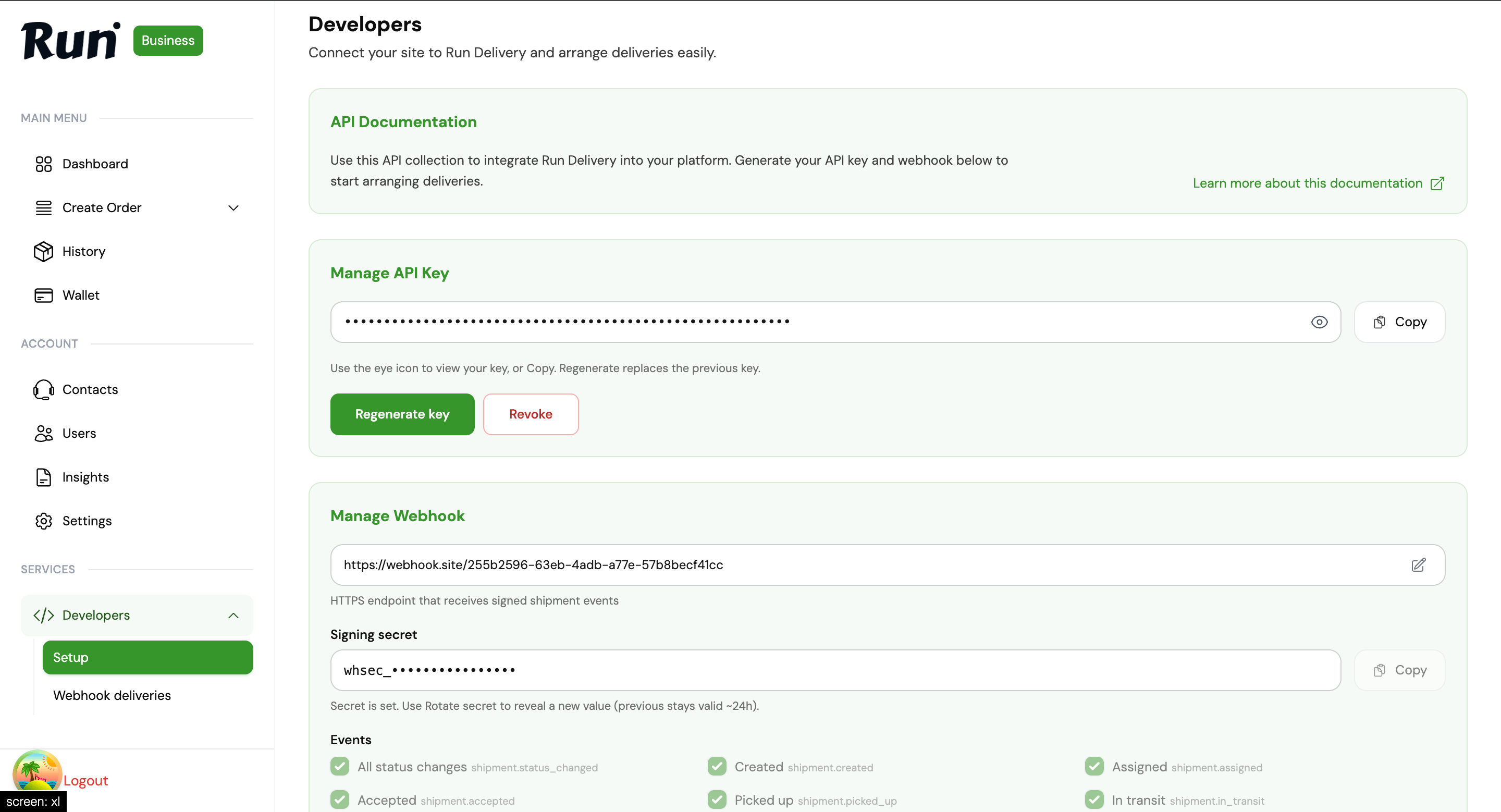
Developers → Setup — Manage API Key